
Moodboards are a great solution for those who need to develop ideas and concepts for projects, finding an essence for their marketing actions and even their brand.
This creation process is quite interactive and visual, providing a creative atmosphere and generating projects with value propositions.
If you want to delve deeper into this subject to learn how to create interesting moodboards, check out our article.
What is a mood board?
A mood board is a way to visually represent concepts and ideas through a group of images, text, and various other design resources.
The purpose of this concept is to help define the tone, personality, and style of projects.
One way to summarize this tool is to imagine it as a collage of small ideas that help form a larger concept.
The idea is that each element added to your board represents some segment of the larger project, whether images, text, or colors.
When all these elements come together, they help inspire ideas or feelings related to those elements.
Mood boards can be created in various ways:
- Using an editing tool like Photoshop, adding images, text, and colors.
- Gathering a series of images in apps like Pinterest.
- Physically using a whiteboard and pasting your inspirations.
What is a mood board used for?
The main purpose of a mood board is to help find a style for a project.
This project can be applied to any area, including brands, products, services, architectural projects, and even personal profiles.
The value this practice offers is generating characteristics that help make the project unique.
Through it, colors, graphic elements, art direction, and any other relevant characteristics will be chosen.
What are its main advantages?
Visualizing this concept in one place helps teams “stay on the same page,” understanding the objective they should achieve in a visual and concrete way.
This is important to avoid ideas that don’t make sense in that context, keeping the entire team focused in one direction.
Working in alignment in this creation process helps teams move towards a final objective in harmony.
This allows everyone to save time, be more productive, and deliver high-quality projects.
How to create a mood board
After understanding what a mood board is and learning about its main benefits, it’s time to learn how to create one.
1. Define a design style.
There are several design and art styles that can be adopted for a project. However, before making a choice, it’s important to know your target audience well.
Otherwise, your ideas may follow the same tone and be coherent, but they may end up not communicating with the final audience.
Below are some examples of popular design styles:
- Minimalism: Focus on simplicity and clarity, using colors, text, and graphic elements in a more restricted and simple way. It can be summarized as “less is more”.
- Retail style: Focus on sales and promotions, using warm colors, eye-catching uppercase letters, and elements that aim to generate a sense of urgency.
- Retro or vintage: A style that refers to a past era, using colors, fonts, and graphic elements that evoke nostalgia for that period.
- Grunge: More rebellious ideas, with worn effects, rough textures, and a deliberately “dirty” aesthetic.
- Collage: Use of various images, textures, and texts to create a unique composition. It can generate dynamic and creative effects, giving an artisanal or digital feel.
Another important factor when choosing a design style is that the visual elements of your project need to be connected to your brand, using elements and ideas that represent it.
This is important to maintain the visual identity of your business, ensuring that the public understands that there is a common essence among the materials produced by your brand.
2. Choose the color palette.
It’s also essential to define a color palette for your mood board. You can use several different colors or stick to just one shade.
The idea is that these colors should serve as a visual guideline for how your project will be developed.
To make this choice, it’s important to consider your visual identity and the objective of the project in question.
3. Use images and textures.
Images are great tools for building the idea of your mood board, whether they are photos or illustrations.
It’s important to choose different images, but ones that are linked by the objective of your project and design idea.
Not relying solely on images will also help create more interesting projects. Varied textures, graphic elements, or photographs will also help set the tone of your project.
4. Descriptive words and their values
Although a mood board is a visual tool, not all of its content needs to be graphic.
Using keywords and descriptive phrases is also a way to strengthen the concept being created.
To ensure that the ideas are consistent with what the brand wants to offer, adding the company’s mission and values is also a way to maintain focus on its objectives throughout the project.
5. Choose the typography carefully.
Beyond the content of your text, consider how it will be presented. Different typefaces help convey ideas and should be chosen intelligently.
Ensure that the fonts used in the project are consistent with the chosen graphic style, brand identity, and the ideas included in your project.
Examples of mood boards
Moodboard featuring nature and earthy tones.
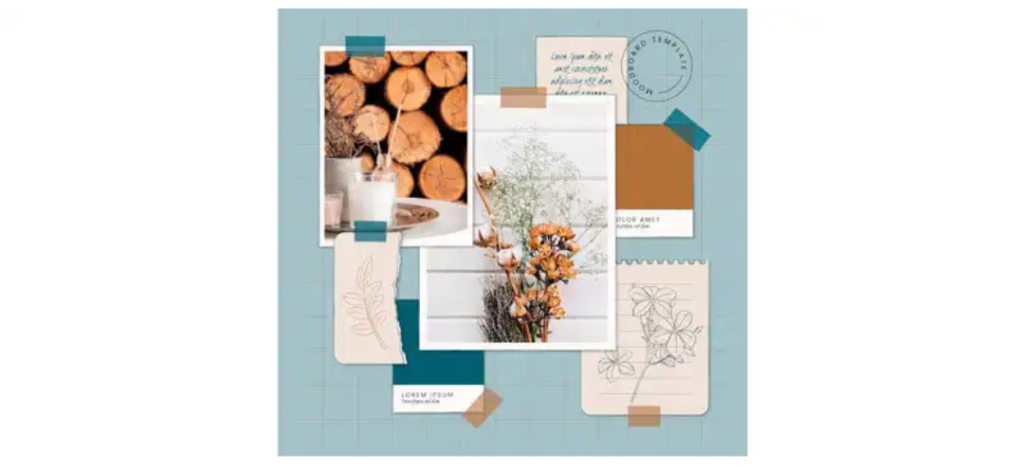
Moodboard nature and travel
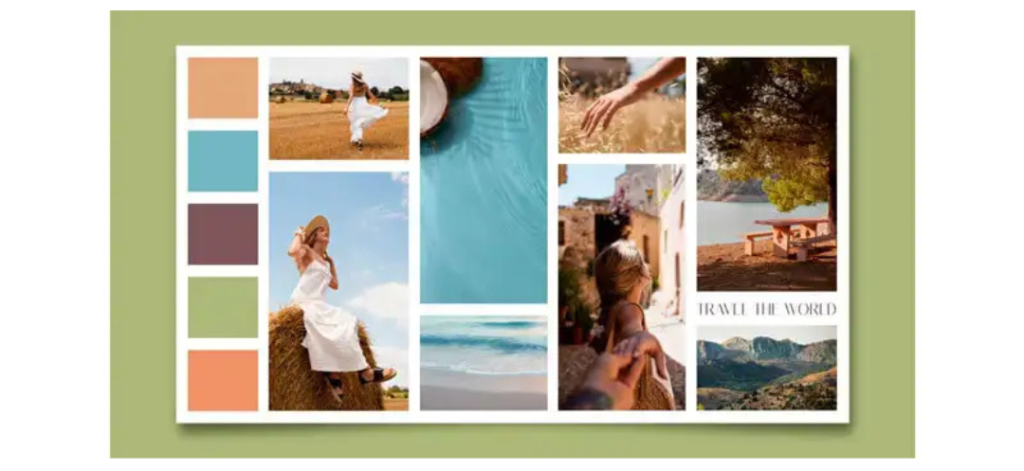
Moodboard in pastel tones
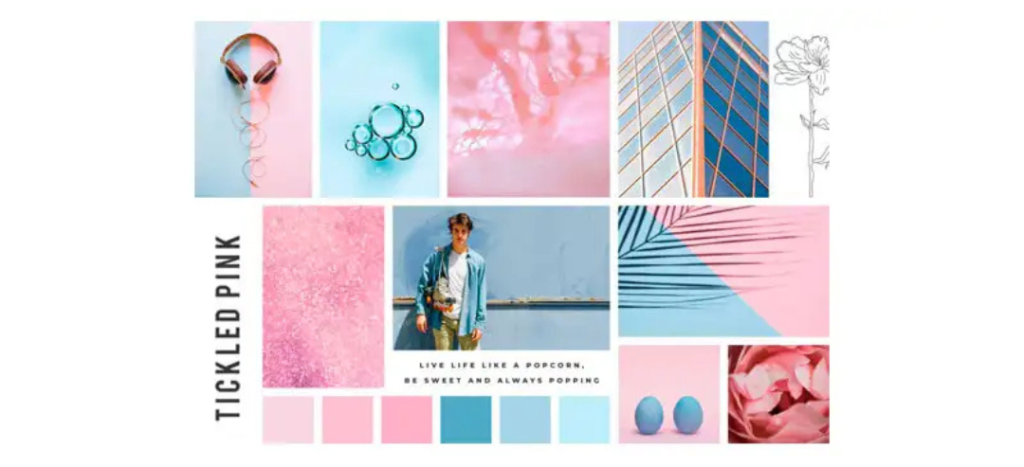
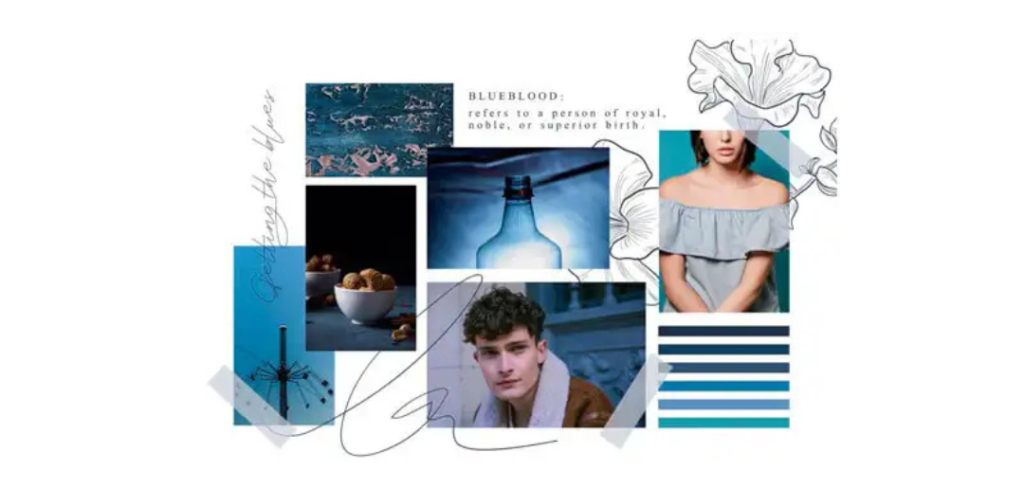
Moodboard: cool colors and elegance
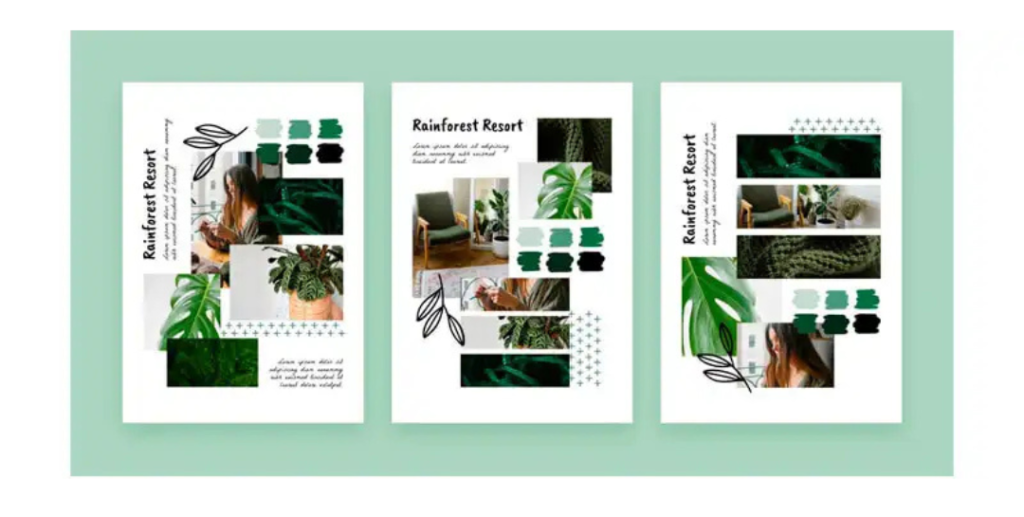
Moodboard: nature and shades of green
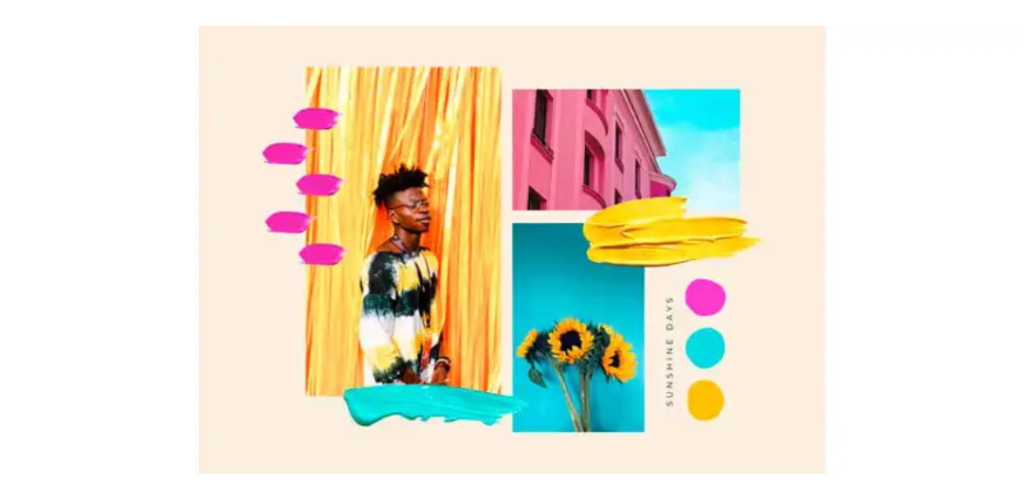
Moodboard with vibrant colors
Tools for creating a mood board
Below are some of the best tools for creating your mood board.
- Fotor: Fotor is a free online editing tool that offers interesting and easy-to-use features for creating your mood boards. The solution also has AI integrations that can help you find the right vibe for your project.
- Miro: This is a platform for creating collaborative online mood boards where you can add images, text, and graphic elements.
- Photoshop: Photoshop is one of the most widely used editing tools by professional designers. Its latest version has advanced editing features and AI assistance to create amazing mood boards; however, a subscription is required to use the tool.
- GoMoodBoard: This is a very simple and free option that has ready-made templates to structure your content. It’s a good option for those who want to create something more basic.
Tips on how to create a mood board.
Now that you know what a mood board is and how to create one, check out some tips to ensure inspiration in your projects.
1. Brainstorm
Brainstorming as a team is a great way to align the themes and objectives of the project.
Try to bring all the parties involved together, create a workspace, and start sharing your ideas.
2. Gather materials and elements
Once your team agrees on the moodboard theme, it’s time to start gathering elements to represent your ideas.
Remember to maintain the aesthetic established in the meeting when collecting these elements.
However, try to explore different ideas that aren’t directly related, but still have a connection to what was defined.
Breaking away from the norm is a healthy way to bring in new ideas that haven’t yet been discussed by your team.
3. Review and curate the content.
After gathering the materials you will use, it’s time to start putting them together.
If you are working in a team, try taking turns adding items to the board while maintaining a connection to the central theme.
If you are working alone, try adding as many elements as you can. After filling the board, start removing items that are not related to the theme.
This is important to ensure creativity in your project while keeping it focused on your central concept.
Do you know how to create a mood board?
We hope our article has helped you understand what a mood board is and provided tips on how to create one for your project.